

分享select联动效果,地区联动
迅睿框架 更新 2026-07-11 16:43:46
 优速开发工作室
优速开发工作室
纯js写法,直接分享代码
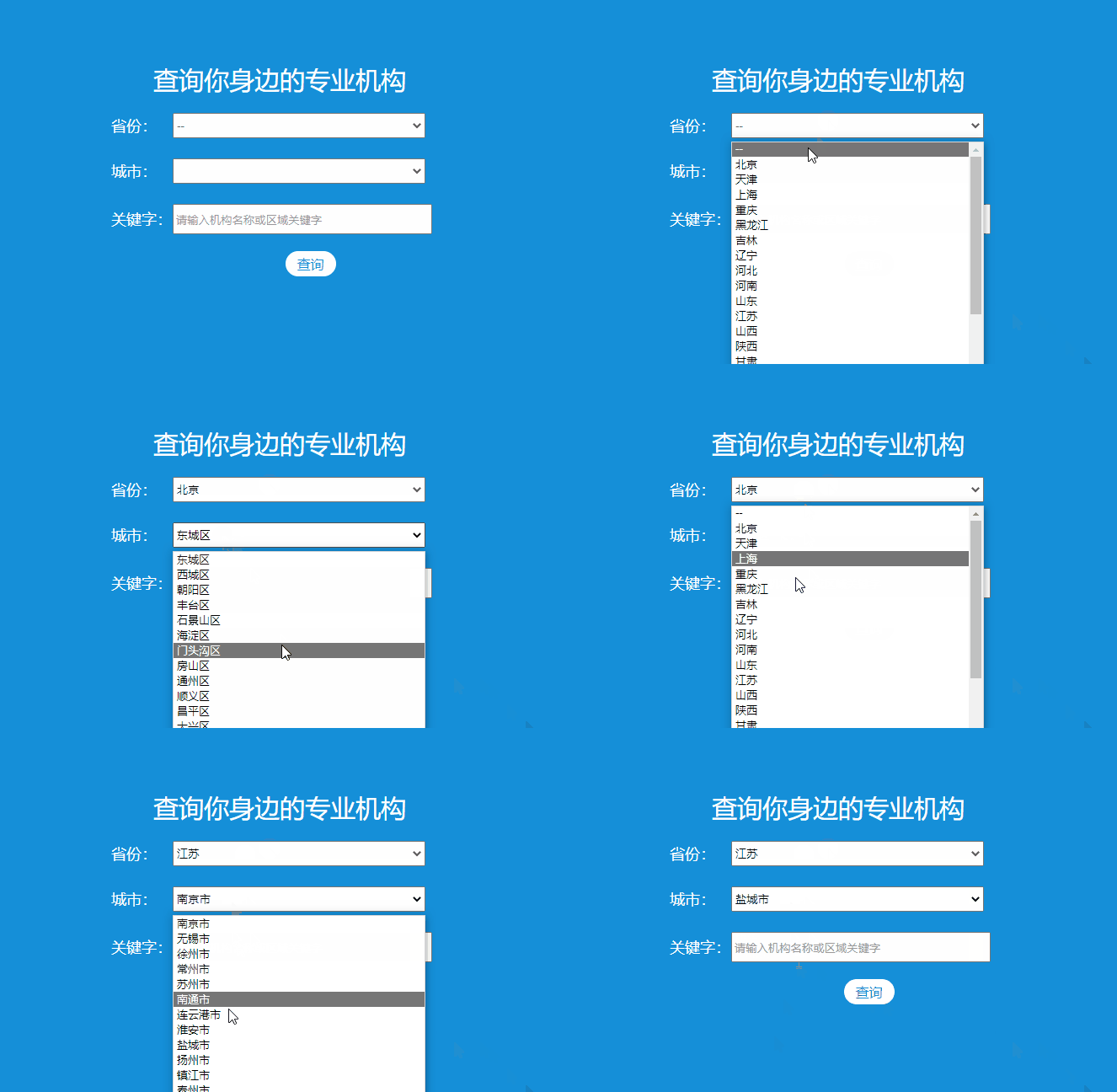
<table border="0" cellspacing="0" cellpadding="0" style=" width:400px; margin:150px auto;color:#FFFFFF; font-size:18px;">
<tr>
<td colspan="2" align="center" style="line-height:80px; font-size:30px;">查询你身边的专业机构</td>
</tr>
<tr>
<td width="73" height="30">省份:</td>
<td width="327"><select size="1" onchange="usu_select_city(this.value)" style="width:300px; height:30px;">
<option>--</option>
{linkage code=ceshi pid=0}
<option value="{$t.ii}">{$t.name}</option>
{/linkage}
</select></td>
</tr>
<tr>
<td height="20"> </td>
<td> </td>
</tr>
<tr>
<td>城市:</td>
<td><select id="usu_city" size="1" style="width:300px; height:30px;">
</select></td>
</tr>
<tr>
<td> </td>
<td> </td>
</tr>
</table>以下是业务js代码:
<script src="{THEME_PATH}assets/global/plugins/jquery.min.js" type="text/javascript"></script>
    <script type="text/javascript">
 function usu_select_city(pid) {
  $("#usu_city").html('');
  $.ajax({
   url: "/index.php?s=api&c=api&m=linkage_ld&mid=news&file=&code=address&parent_id="+pid,  // 发送的路径
   type: "get",  // 发送方式
   dataType: 'JSON',  // 反序列化
   success: (res) => {  // 成功获取到后端返回结果的回调函数
    if (res.data.length > 0) {
     $.each(res.data,function(index,value){
      $("#usu_city").append('<option value="'+value.region_id+'">'+value.region_name+'</option>');
     });
    }
   },
   error:()=>{  // 发送失败的回调函数
    console.log("失败");
   }
  })
 }
 </script>









学习一下大佬的教程,谢谢楼主分享
学习一下大佬的教程,谢谢楼主分享
我是来学习的!
为啥看不到!
学习一下大佬的教程,谢谢楼主分享