
企业官网首页调用公司介绍内容,一般分三块内容。
调用宣传视频、调用一张图片,调用文字介绍内容。
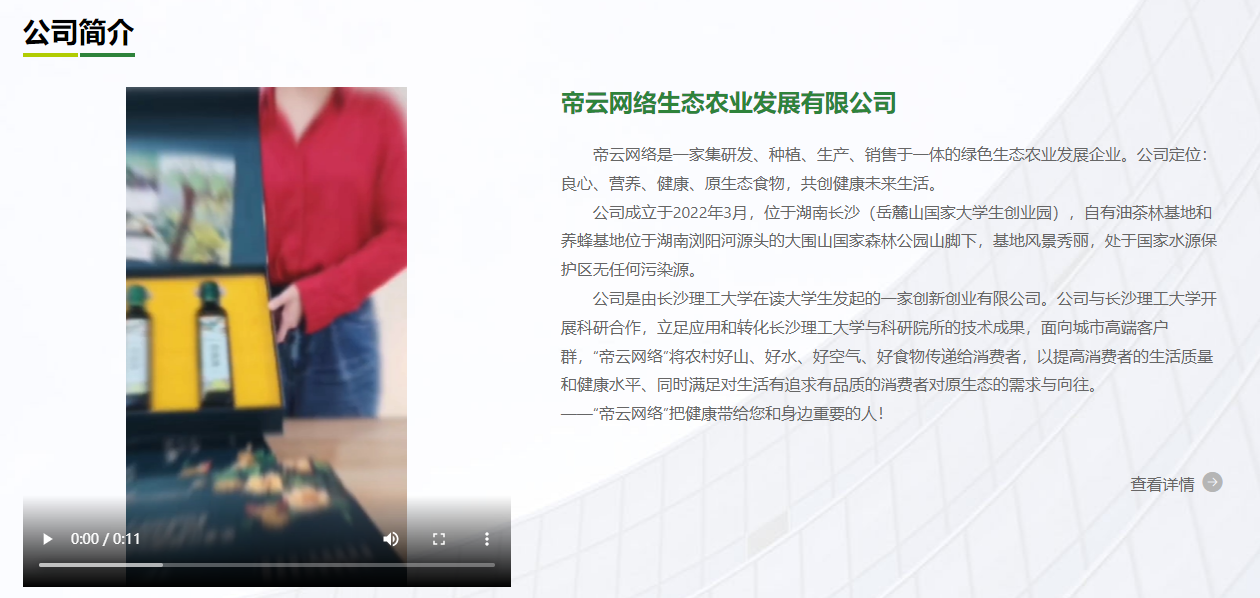
一、调用文字内容
直接调用公司介绍栏目的内容是最佳方案,避免重复修改,但要求只调用文字,过滤掉图片、视频、等内容,为了美观,还要过滤掉空行,保留换行。
第一步:
打开 config/custom.php
添加
<?php

/**
 * 开发者自定义函数文件
 */

function dr_reserve_text($str) {

    if (is_array($str) || !$str) {
        return '';
    }

    $str = preg_replace('~<img(.*?)>~s','',$str); //过滤图片
    $str = preg_replace('~<video(.*?)>~s','',$str); //过滤视频
    $str = str_replace("div","p",$str); //div转p
    $str = str_replace("<p><br></p>","",$str); //删除空行

    return trim($str);
}
首页调用代码:
假设公司简介栏目ID为2
{dr_strcut(dr_reserve_text(dr_share_cat_value(2, 'content')), 600)}调用并截取600个字。。
效果如上图所示:
二、调用视频
调用内容中第1个视频
{php $videos = dr_get_content_url(dr_share_cat_value(2, 'content'), 'src', 'mp4', 1);}
<video width="100%" height="auto" controls style="max-height: 500px">
    <source src="{$videos[0]}" type="video/mp4">
    <source src="movie.ogg" type="video/ogg">
    您的浏览器不支持 video 标签。
</video>
三、调用内容中第一张图片
{php $imgs = dr_get_content_img(dr_share_cat_value(2, 'content'), 1);}
<img src="{$imgs[0]}">